While navigating the internet for everything from information to purchases, what users look for is authenticity. How authentic is the information provided by this article, for instance? Or how authentic is this thing that I want to buy?
In real-life situations, you corroborate this by checking with resources. The most trusted of course being reviews and recommendations by your friends and family. Now change this to a virtual setting, the most authentic tool to corroborate information here is online reviews.
There are multiple platforms wherein you can go to check user reviews. The biggest giant here is no doubt, google. We use the Google search engine for almost everything because it can give you an answer for everything. It’s only natural that you would find that the business you search for is already listed as a business on Google My Business and all the necessary information about it is available.
Under the google business listing, you get to view all information about the business, ranging from the opening hours, locations, services to reviews. This convenience itself attracts a lot of users to a google search for the business.
So how exactly can you as a user, leave a review? There are broadly three ways in which you can do this :
Leaving a review through Desktop
Leaving a review through Mobile
Leaving a review without a google account
Let’s see each of these in detail.
How to leave a google review through desktop
You can follow these steps to know how to leave a review on google.
Search for the intended business on the google search engine.
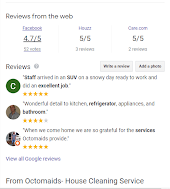
The Google search result will show you the relevant results. On the right side of the results page, you will be able to see the business’s Google My Business listing.
When you scroll down in this listing you will see a ‘Reviews’ section. Beside Review you will two options : write a review and add a photo
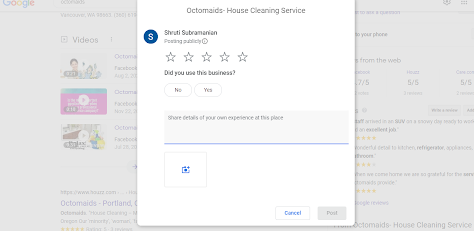
4. Select ‘Write a Review 5. You will see a pop up box where you will be able to add ratings in the form of stars, inform if you used the business and write a review in the space provided
5. Once done, click on post and your valuable review is added!
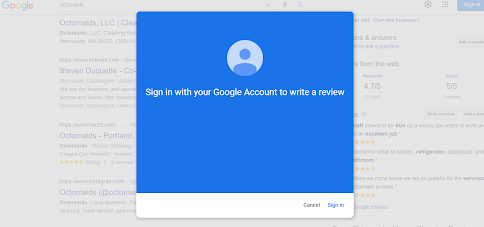
Note – You will be able to follow steps 4 – 6 only if you are already logged into your google account. If you are not logged in you will be promoted to login.
Once you sign, you will be able to continue with steps 4 to 6.
How to leave a google review through mobile
Leaving a google review through mobile also follows almost the same steps as the steps for desktop.
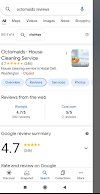
On your mobile device google search bar type the business name.
You will see the business’s google my business listing as the first result.
Select Reviews
4. Under ‘Rate and Review on google’ select the stars you wish to give the business.
5. Next, you will be prompted to leave a review. Once done select ‘post’ on the top right corner.
An alternative way to leave a review through mobile is through google maps. You can follow these steps to leave a review on google maps.
Sign in to your Google account
Open the Google Maps app on your phone
Search for the business you want to review
Select the Reviews tab
Rate by selecting the number of stars
Share details of your own experience with the business. Add photos if you wish
Click Post
How to leave a review if you don’t have a Google Email ID
One way how businesses lose out on getting reviews from their customers is the customers not having a google account. This, however, does have a way around it. If you are a customer who wants to leave a review for a business but doesn’t have a google email account, you can still do it. How? Whether you want to leave a review through desktop or mobile, or through a simple browser search result or Google Maps, just follow these steps :
Follow the above-discussed steps 1- 4.
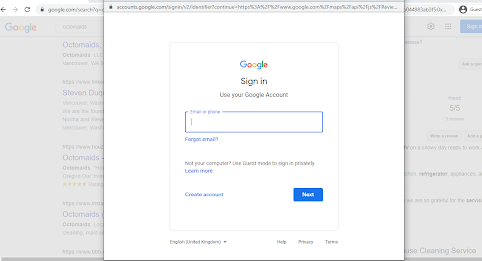
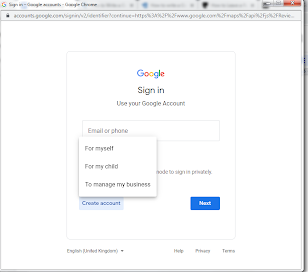
When you go to write a review you will be first prompted to sign in.
3. Instead of signing in, click on create account and choose for whom you are creating the account.
4. On the next page, select ‘Use my current email address instead’
Once done, you will be able to leave a review!
And there you have it, you can leave a google review without having a google email account.
Bonus: How do I ask customers to leave a google review for my business?
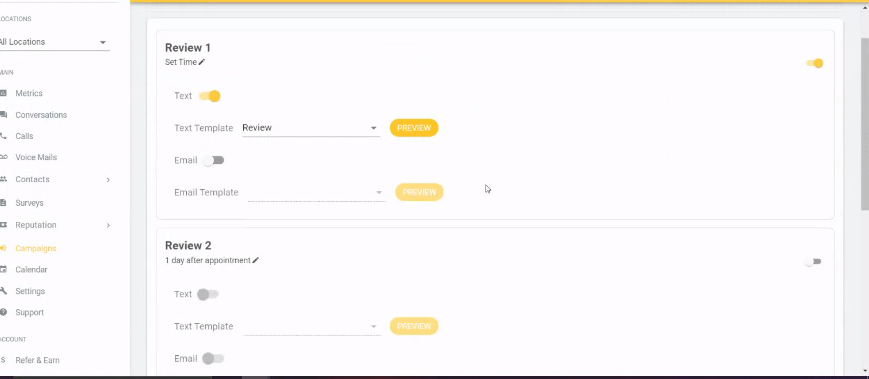
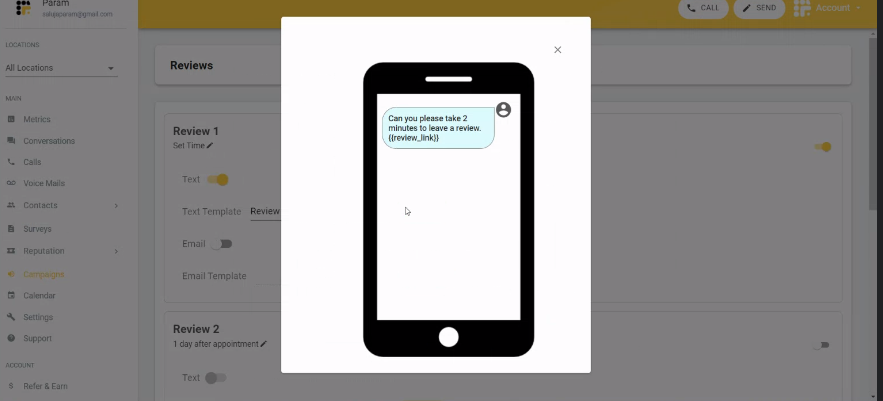
If you own a business you know how important it is to solidify your credibility. To gain as many reviews from your customers is the best way to achieve this. With Emitrr you will be able to ask your customers reviews by automating the entire process.


 4.9 (400+
reviews)
4.9 (400+
reviews)